
.svg)
How to create a project completion report
Whether you're a construction worker, roofer, engineer, or contractor, more than likely, you've
needed to create a project completion report. They are useful for summarizing work
that was done at the job site, or showing customers work that you've completed.
In this article, we are going to look at how to create a project completion report.
This will be an
easy, step by step process, so let's get started.
Cover page
For this example, we will be using Word as a tool to create the report. So, your first step in how to
create a project completion report is to open Word up. Once you have
everything opened up, create a new file.
You should now be looking at a blank page. From here, the first thing you'll want to do is create a
cover page.
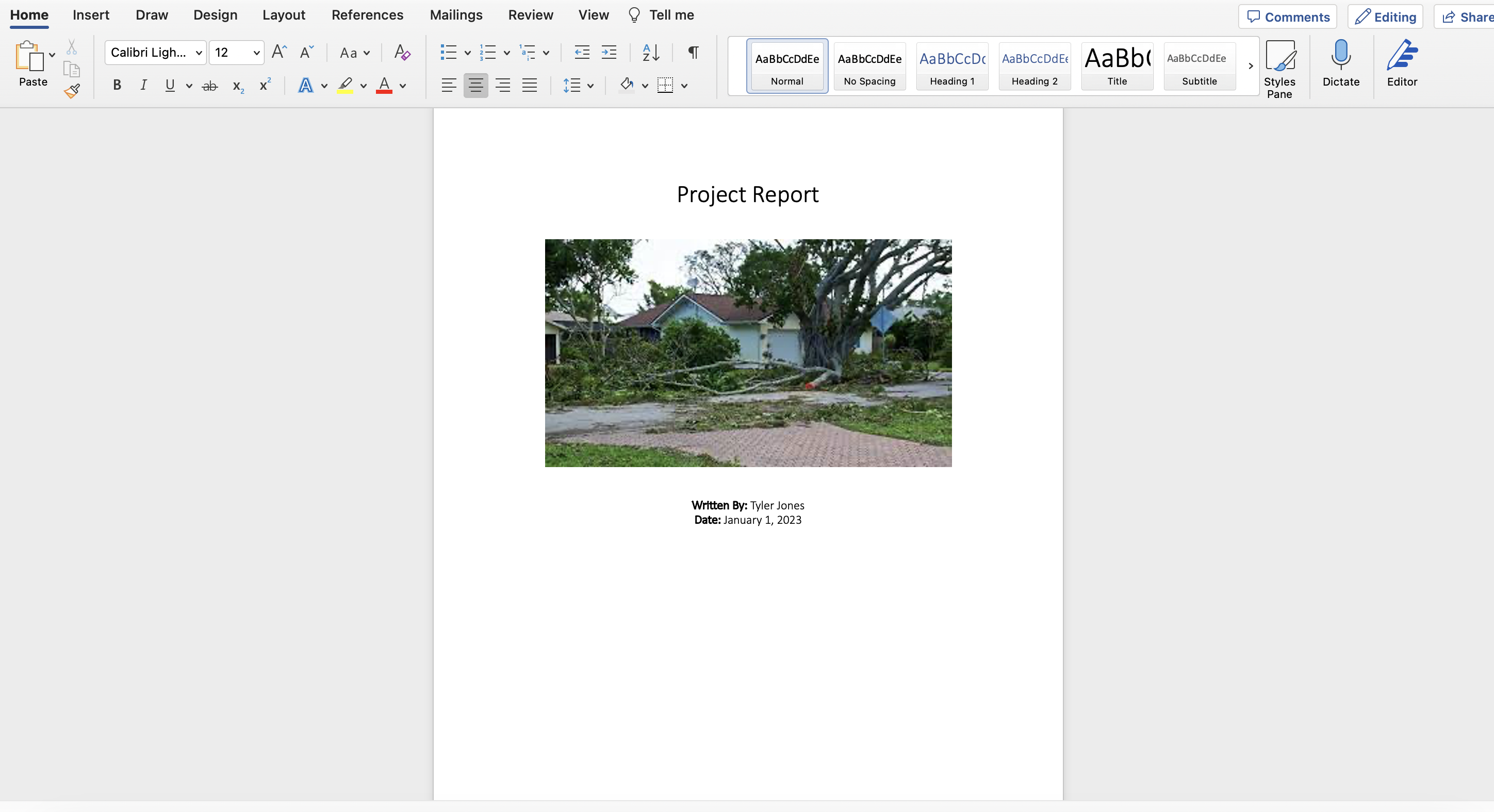
This cover page will have details such as the title of your project, your name, the date the report
was written, the location of the project, and your company's logo. You'll want to center all this
information down the middle of the page so everything looks neat and professional. When considering
how to create a project completion report, keep in mind that these reports can be used
over and over
again, so you want to keep them as professional as possible.
Another pro tip: Make the title of your report text size 30, and the rest of your details text size
17. Also, make your name bold. This will make your photo project completion report
look nice and neat.
Feel free to put your company or school logo at the top of the page.
Another good idea is to add numbers to the footer of each page, helping the reader understand where
they are in the report. In the header of your report, you can add your name or company's name.
Once you have the cover page created, the next step in how to create a project
completion report is
the actual content and key details. Let's get into it.
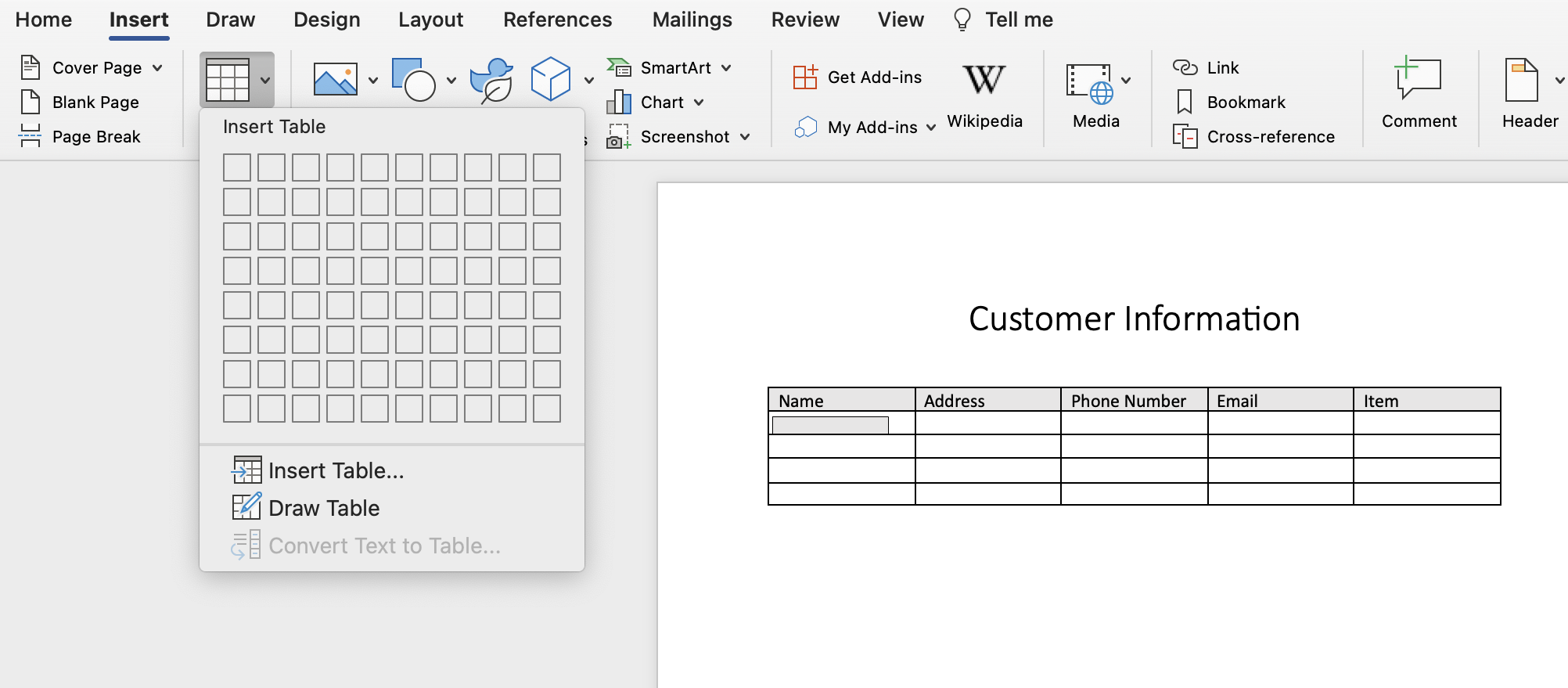
We have a tool that we've created to help you create job report templates easily, especially if trying to figure out out how to create a project completion report gets complicated. Click the link below to learn more.
Initial details
Your next step in how to create a project completion report, once you have your cover
page created, is
to write an introduction of what you'll be showcasing.
This can be information such as the work you did for the customer, the whole process from beginning
to end, what tools you used, which team members were involved, or explaning the customers request
and how you were able to fulfill it.
When learning how to create a project completion report, keep your introduction simple
and clear to
the one who will be reading it.
Introductions are good to add to your reports, becuase instead of just getting right into the photo
documentation, you are giving a brief overview of the work that was done.
The actual report
Now that you have your introduction created, you can now move on to the actual report portion when
looking at how to create a project completion report.
Here is where the main body of your report will be. When writing this section, explain in detail
what you did. When you were trying to solve the issue, what did you have to do? What kind of
research did you have to go and look up? Did you need to ask the customer any additional questions?
These are all great points that you can include.
If necessary, when looking at how to create a project completion report, you can add
outside facts or
information that you think could be useful to support your case. Of course, make sure to cite any
outside information that you choose to use.
Also, remember to seperate these paragraphs with headings, so it's easy for the reader to clearly
read through the report.
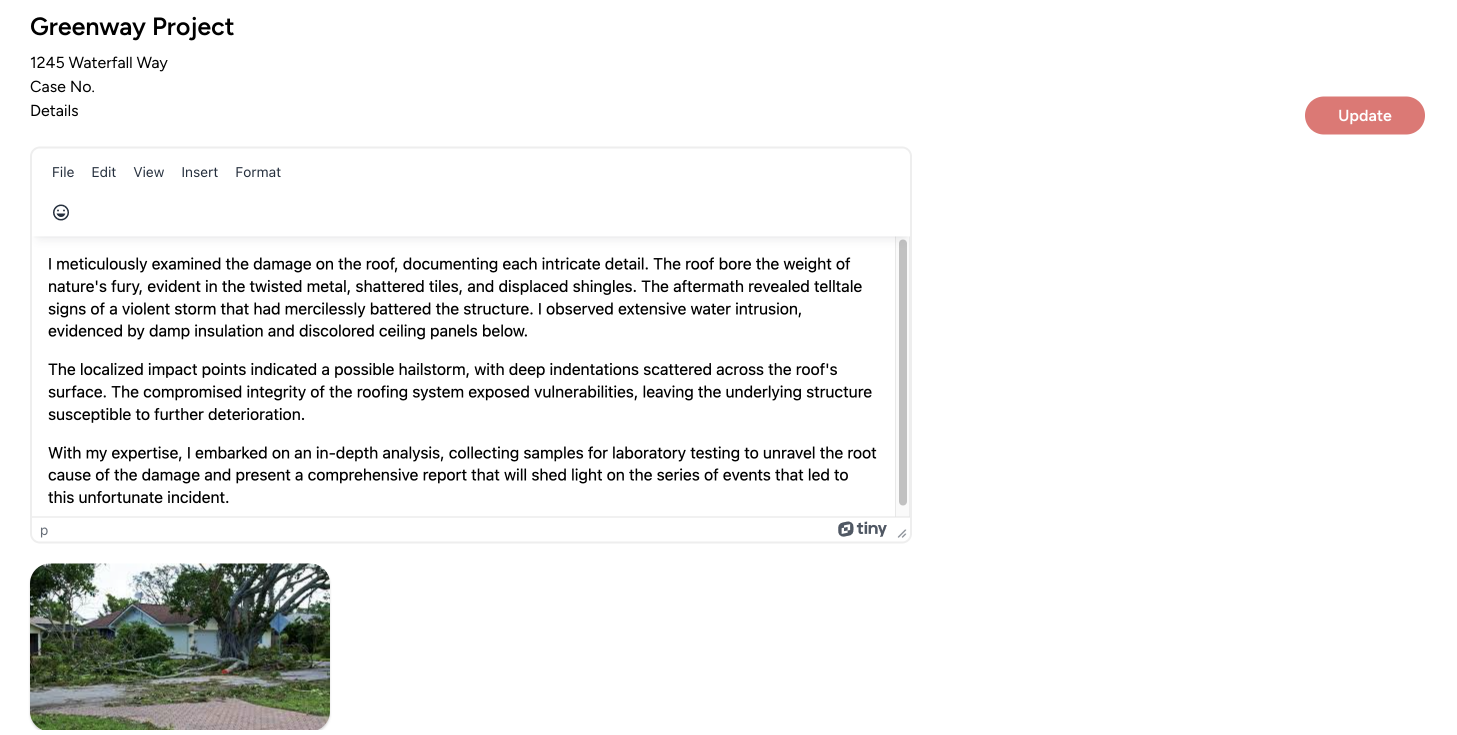
If your report includes photos, or you're writing a summary about what you found and need to include
photos, try setting it up like this:
1: Place your initial image. Make it as wide as possible so the reader can see the key details.
2. Under that image, write key details about what you saw, whether it was damage, a leak, or
something else.
3. Create headings for each section. For instance, you could say: "Front roof", or "Door area", with
the corresponding images under that section.
By keeping the main body of your report simple, and following these steps, you'll get a better
understanding of how to create a project completion report.
Conclusion
Now that you've finished up your project completion report, the last thing in how to
create a
project completion report is to write the conclusion.
You can keep this to just a couple sentences, saying once again what the report was about, and the
work that you did. It could also be a good idea to thank the customer or reader for their time, and
the opportunity to work with them.
The good thing about a template like this, is that once you've created it once, you can use it over
and over again to create your templates, and just change out the image and captions every time if
you like.
Why these reports are important
A project completion report meticulously documents all the stages of the construction
process, from start to end. It outlines the materials used, construction methodologies, and
inspections.
This project completion report holds all parties accountable for the work they've
done, providing a reference point for any future discussions or claims that may arise.
A comprehensive project completion report showcases the quality of workmanship and
materials used. This is crucial not only for immediate occupancy but also for the building's
long-term durability and safety. In the event of defects or issues, the project
completion report can help identify the responsible parties and guide rectification efforts.
The knowledge gained during a construction project can be invaluable for future projects. A
well-documented project completion report captures lessons learned, best practices,
and insights that can be utilized to improve future endeavors and avoid repeating mistakes.
How to create a project completion report
If you're looking for how to create a project completion report, you'll want to check out our tool Kybo.
It's perfect for construction companies, engineering firms , roofers, contractors, and any business
owner
who is
looking for how to create a project completion report, but realizes that Word might be
too difficult
to create these reports. Or, you need to easily share the reports or photos with others. Maybe you
would like to send the report as a link.
If you're looking for how to create a project completion report, but need an easy and
simple solution,
check us out.